April Fools Sale 🤡 But these savings are no joke! Save 20% with code NOJOKE *Some Exclusions Apply
Coupons & Sales Policy
We run promotions often—but timing matters. To keep things fair and consistent for all customers, please review the guidelines below before placing your order.
Sale Timing & Eligibility
Promotions are only valid during their active window and must be applied at checkout.
- Orders placed outside of a sale window are not eligible for that promotion
- Discount codes cannot be added, applied, or adjusted after an order is placed
- If you are having trouble applying a code, contact us during the sale period and we’ll help—once the sale ends, we cannot retroactively honor it
Important: Do not place your order without the code expecting a refund later. We are unable to apply discounts after purchase.
One Discount Per Order
Only one discount may be used per order.
Discounts cannot be:
- Combined
- Stacked
- Replaced with another promotion
- Upgraded after purchase
Ambassador & Affiliate Codes
Ambassador and affiliate discounts are considered a full promotional discount.
- These codes cannot be combined with or replaced by other promotions
- Orders using an ambassador code are not eligible for additional discounts or adjustments
- We do not offer partial refunds to match a higher promotion after purchase
No Price Adjustments or “Difference” Refunds
We do not offer:
- Retroactive discounts
- Price matching after purchase
- Partial refunds to make up the difference between promotions
Once an order is placed, the discount used at checkout is final.
Order Changes & Cancellations
If you would like to cancel your order to take advantage of a promotion:
- Cancellations must be requested before your order is processed (this can happen quickly, sometimes within an hour)
- Once processed, orders must go through the standard return process
For fastest service, cancellations are best handled by phone during business hours.
Excluded Products
Some products are not eligible for discounts, including:
- Items already discounted (such as those in the Hot Deals category)
- Aero8tor and accessories
- KartMate products
- Blade Sharpening Systems (Magna-Matic)
Shipping
Discounts apply to product pricing only and do not apply to shipping costs.
Final Note
We know missing a sale can be frustrating. Our goal is to keep promotions fair and consistent for everyone. The best way to ensure you receive a discount is to apply it at checkout during the active sale window.
How do I apply a promotional/coupon code on a mobile device or tablet?
Simply enter the coupon code IN YOUR CART at the top of the screen. You will NOT be prompted to enter a promo code once you move past this screen.

How do I apply a promotional/coupon code on a desktop computer?
When you are on your cart on a desktop computer, the box to add a promotional code is located to the right of the items. Enter your code here.
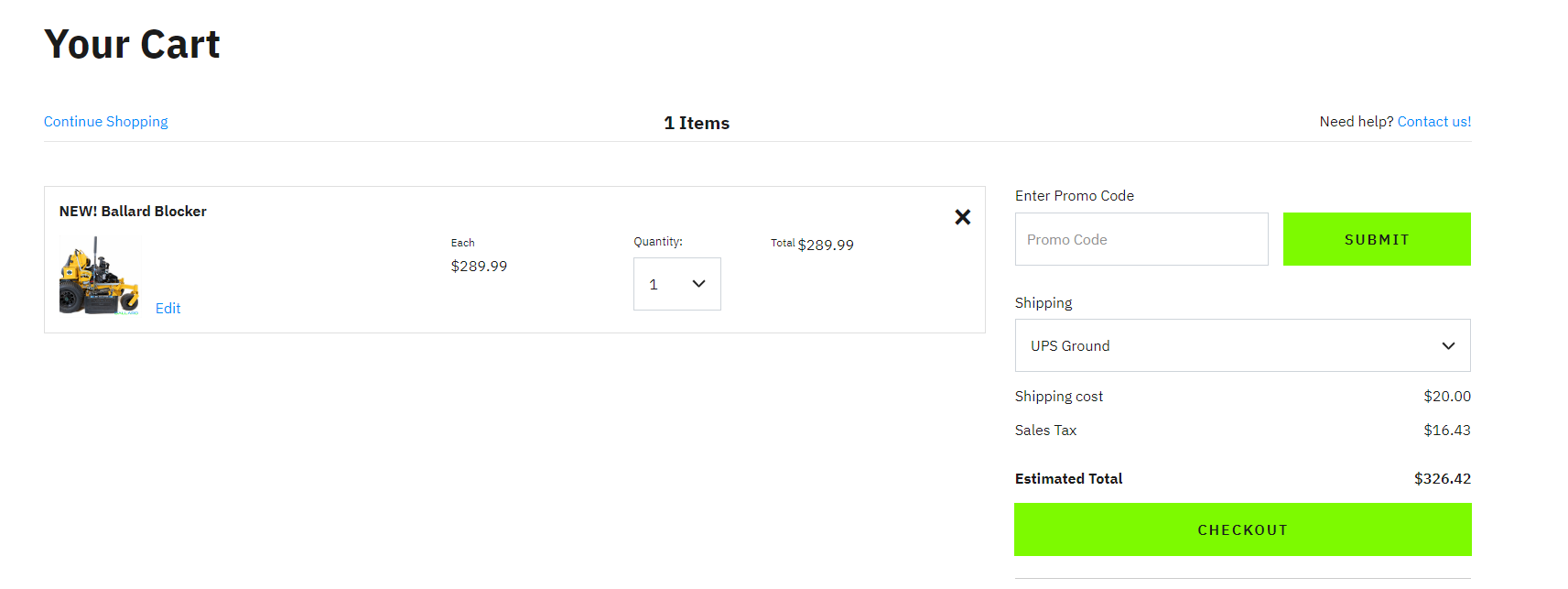
Please verify that the discount code is reflected on your total. If you do not see this below, the code is not applied to your order. You should see a screen similar to below:
MOBILE:

DESKTOP: